Minimax H3 Character Swap Updated
In this guide, you will learn how to seamlessly replace a character in any video using MiniMax H3 and ComfyUI. By combining dynamic video masking via SAM 3 with reference-to-video LoRAs, this workflow extracts motion and scene lighting from a source clip and naturally composites a new target identity in place of the original subject—complete with custom facial expression prompting and seamless edge blending.
MiniMax Setup
If you don’t have MiniMax setup yet (skip if you have MiniMax working already)
MiniMax Setup Video: https://youtu.be/EjlEcSDDuh0
Links
Workflow: minimax-char-swap-2.json
SAM3 model: https://huggingface.co/Comfy-Org/sam3.1/blob/main/checkpoints/sam3.1_multiplex_fp16.safetensors
Lightx2v Lora: https://huggingface.co/Kijai/MiniMax-H3_comfy/blob/main/loras/minimax_h3_ref2v_lightx2v_turbo_4step_v0.1_resized_avg_rank_20_bf16.safetensors
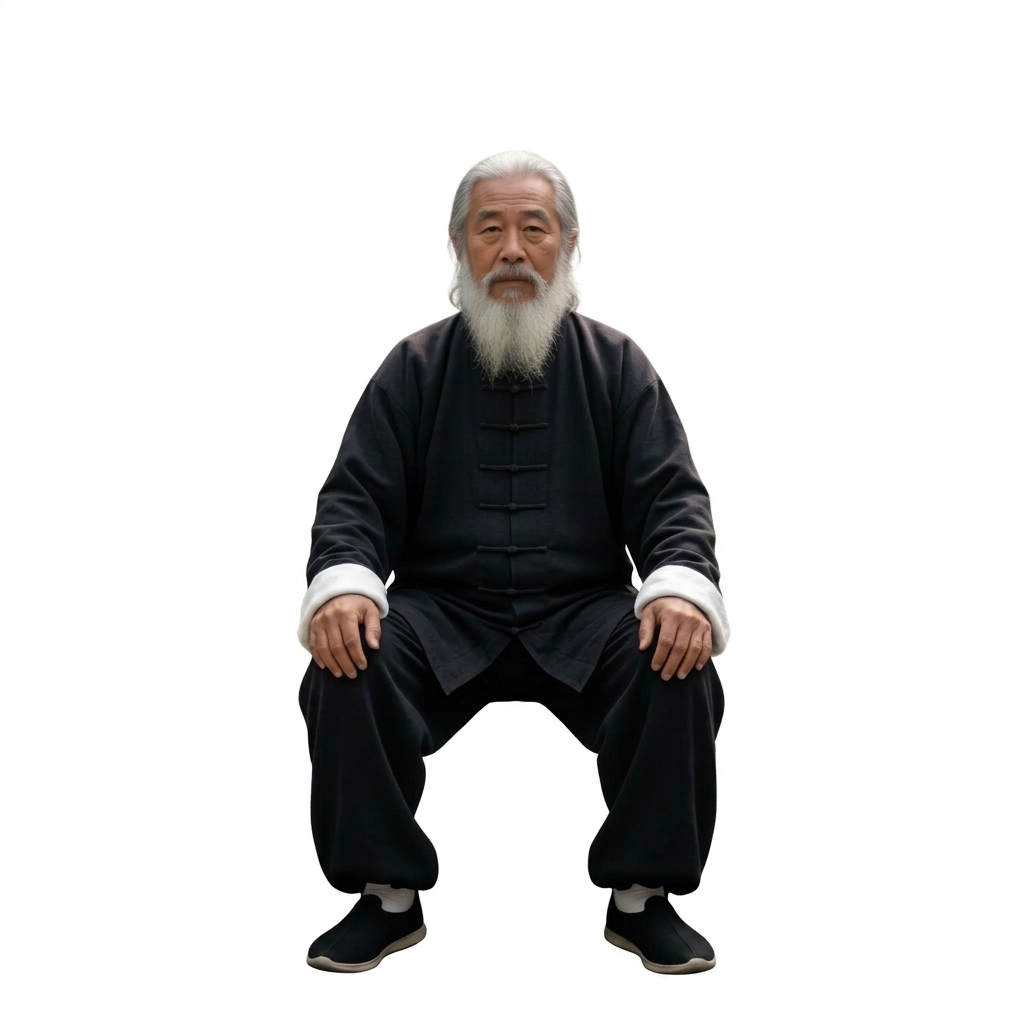
Character Image: man-1-nobackground.jpg
Boxing Video: https://www.pexels.com/video/two-men-boxing-8612115/
Audio added: https://drive.google.com/file/d/1XLuitAB3N70N50AhAH_Wnhhxa-KHtMbo/view?usp=sharing
Dance Video: https://www.pexels.com/video/people-dancing-in-a-club-9003210/
Audio added: https://drive.google.com/file/d/1ZuzJ1NLlEHYJZBqMS2jJ6aQovkH2Ko25/view?usp=sharing
Facial Expression Video: https://www.pexels.com/video/woman-making-faces-3763967/
Audio added: https://drive.google.com/file/d/1UA2neexDaddODunbCv2xEf_hirEAFqyb/view?usp=sharing
Instructions
- Install or update VideoHelperSuite node. (no other custom nodes needed)
- Confirm that the VideoHelperSuite Load Video Node has the Format = H3 option at the bottom, if it doesn’t then try git clone into custom_nodes from here: https://github.com/Kosinkadink/ComfyUI-VideoHelperSuite/
- Download the SAM3 model from the link above. Place it in ComfyUI/models/checkpoints/
- Drop the workflow into ComfyUI.
- Drop your character image into Load Image node
- Drop your video into Load Video Node
- Node is set for small and short video for fast generation, change if desired.
- Customize the prompt in “Select Character from Video Prompt” node to select your - character (optional).
- Click the Run button
Facial Expressions
Since the original character is masked out in source video, the AI does not know about the facial emotions. You can add them back in by adding text to the prompt in the subject_definitions section. For example, add this add the end of the subject_definitions:
<Subject 1> is smiling throughout the video.
Prompt
subject_definitions:
<Subject 1> is the individual whose visual identity, facial features, skin tone, hairstyle, body build, and attire are strictly derived from <Picture 1>.
<Video 1> is the source video providing the scene environment, camera motion, perspective, and lighting. It contains a dynamic solid black silhouette mask that designates the exact spatial coordinates, scale, and movement bounds where <Subject 1> must be placed.

summary:
[video inpainting + subject replacement + reference synthesis] The target video synthesizes <Subject 1> (from <Picture 1>) directly into the black masked area of <Video 1>. The solid black mask is completely eliminated and replaced by <Subject 1>, who seamlessly integrates into the environment, matching the position, scale, lighting, and camera motion of <Video 1>.

retention_analysis:
<Subject 1> (appears in [Shot 1]): fully_preserved - identity, facial anatomy, hair, and wardrobe originate entirely from <Picture 1>.
<Video 1>: background_preserved - all non-masked surroundings, camera trajectory, depth of field, and ambient lighting are retained 1:1; the black masked region is completely replaced and filled by <Subject 1>.

detailed_description:
The target video matches the cinematography, camera motion, frame rate, lens characteristics, and color grading of <Video 1>.
[Shot 1] <Subject 1> is synthesized precisely within the area occupied by the black mask in <Video 1>. The black mask functions as the spatial footprint and scale reference: <Subject 1> fills this designated space continuously from the first to the final frame, replacing the black silhouette entirely. Their attire, hair, and facial appearance from <Picture 1> are fully rendered and illuminated by the ambient and directional light sources present in <Video 1>.   Seamless edge blending, ambient light wrap, contact shadows, and realistic occlusion ensure natural integration with the surrounding unmasked background, leaving no residual black borders or artifacts.

<Subject 1> has a huge smile the entire video

overall_soundscape:
Complete ambient silence. No dialogue, no speech, no vocals.

non_diegetic_music:
N/A